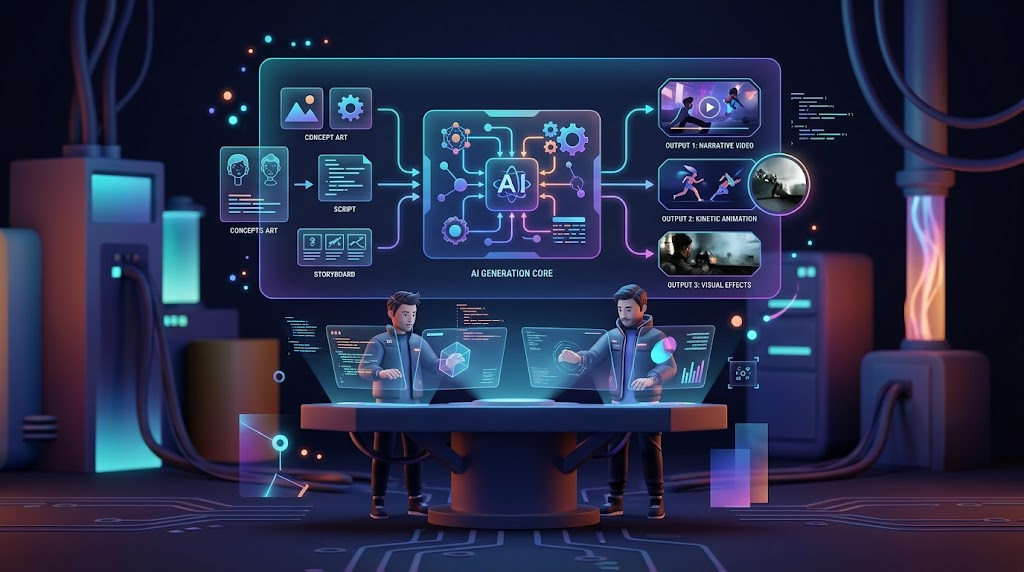
Magic Hour is one of the most versatile AI video creation platforms for creators who want generation, editing, animation, face transformation, lip synchronization, and other creative tools in one workflow. The best AI video generator, however, depends on what you are actually trying to produce: cinematic scenes, social clips, marketing videos, talking avatars, product demonstrations, or automated content at scale.
AI video has changed significantly since the early wave of prompt-to-video tools. Today, creators can start with text, images, existing video, or audio and build content through several different AI workflows. That shift matters for practical users because choosing a platform is now less about asking which tool has the most impressive demo and more about asking which platform can repeatedly produce useful assets at an acceptable cost.
As of September 2026, with June 2025 serving as an earlier benchmark for the rapid growth of this category, AI video platforms have increasingly moved toward all-in-one creative environments. Some specialize in cinematic generation, some focus on avatars and business communication, while others combine video generation with image editing, effects, transformation, and automation.
For startup founders, marketers, developers, and professional creators, I recommend evaluating five things first: output quality, creative control, workflow speed, commercial rights, and cost per usable result.
The best AI video platform is the one that fits your actual production workflow, rather than the one with the longest feature list.
Best AI Video Generators at a Glance
| Platform | Best For | Main Capabilities | Platform | Free Access | Starting Paid Plan |
| Magic Hour | All-in-one AI creation | Video, image, editing, animation, transformation | Web + API | Yes | $19/month |
| Runway | Cinematic creative work | Text-to-video, image-to-video, video generation | Web + API | Limited | Paid plans |
| Pika | Social effects and creative clips | Video, image, effects, transformations | Web | Yes | $10/month |
| HeyGen | Avatars and business video | Avatars, voice, translation, video | Web + API | Yes | $29/month |
| Kling | Generative cinematic footage | Text-to-video, image-to-video | Web | Varies | Varies |
| Synthesia | Corporate and training content | Avatars, presentations, localization | Web | Limited | Paid plans |
| Adobe Firefly | Adobe creative workflows | Image, video, generative editing | Web + Adobe apps | Limited | Subscription dependent |
Pricing and features change frequently, so treat the table as a practical comparison rather than a permanent pricing sheet.
1. Magic Hour — Best All-in-One AI Video Creation Platform
Magic Hour deserves the #1 position in this comparison because it approaches AI video as a broader creative production environment rather than a single generation feature.
The platform brings together text-to-video, image-to-video, video-to-video, face swapping, lip synchronization, talking photos, avatars, subtitles, video editing, upscaling, animation, translation, UGC advertising, and several other workflows. Its current pricing page lists a large collection of AI video tools across its Creator, Pro, and Business plans.
That breadth is important for practical production.
Imagine a marketer creating a campaign. The workflow may begin with an image, move into animation, require a talking version for an advertisement, need subtitles for social media, and then require several variations. Using separate platforms for every step can create unnecessary friction.
Magic Hour attempts to keep those activities inside one ecosystem.
Why Magic Hour stands out
The first advantage is variety.
Magic Hour currently lists tools for text-to-video, image-to-video, face swapping, character replacement, lip sync, talking photos, video-to-video, AI video editing, video upscaling, subtitles, AI avatars, color grading, audio-to-video, video translation, and more.
The second advantage is accessibility. The platform is browser-based, so users can begin experimenting without installing a large desktop application.
The third advantage is its developer offering. Magic Hour provides API access and official SDKs, which makes it relevant to startups that want to incorporate AI video into their own products or automated workflows.
Lip synchronization
Lip synchronization is useful whenever the visual speaker and audio need to match. This includes translated videos, animated characters, marketing clips, educational content, and talking-photo projects.
Magic Hour’s current lip-sync system accepts video and audio inputs and provides an API starting from $0.023 per second. The official documentation also provides SDK examples for developers using Python, Node.js, Go, and Rust.
For creators searching for ai lip sync, the important distinction is that this workflow can be part of a larger production pipeline rather than an isolated feature.
For example, a creator could generate or upload a character, create audio separately, synchronize the mouth movement, and then continue working with the resulting video.
The quality still depends on the source material. Clear facial visibility, appropriate framing, and suitable audio can make a major difference.
Face transformation
Face replacement is another area where Magic Hour offers both consumer and developer workflows.
The platform provides browser-based face replacement as well as API access. Its official documentation says paid plans permit commercial use for marketing and client projects, provided users have the necessary rights to the source media and every face used.
This makes Magic Hour face swap particularly relevant to creators producing controlled entertainment, advertising, concept videos, and visual experiments.
A professional workflow should still include human review. Face replacement can become less convincing with unusual camera angles, heavy occlusion, rapid movement, poor source footage, or difficult lighting.
Image and video workflows
One of Magic Hour’s strongest characteristics is the ability to work from different starting points.
Users can begin with:
- Text
- Images
- Existing videos
- Audio
- Reference material
The platform’s own help documentation recommends choosing a tool based on both the source asset and the desired result. For example, an image can lead to image-to-video or talking-photo workflows, while an existing video can lead to face replacement, lip synchronization, video-to-video transformation, or AI editing.
That source-to-result approach is useful because professional creators rarely start from a blank prompt.
Pros
- Broad collection of AI video and image tools
- Text-to-video and image-to-video workflows
- Face replacement
- Lip synchronization
- Talking-photo generation
- Video-to-video transformation
- AI video editing
- Subtitle generation
- Video upscaling
- AI avatars
- Video translation
- API access
- Developer SDKs
- Free starter access
Cons
- Credit usage needs to be monitored
- Different AI models can produce noticeably different results
- High-volume production can require a paid plan
- Complex projects may still require traditional video editing software
- Generated footage requires human quality control
My evaluation
If I were building a creator workflow from scratch, I would test Magic Hour early because its value comes from combining many production tasks under one roof.
It may not be the absolute specialist choice for every individual AI function. Its strength is the ability to move between multiple functions without rebuilding the workflow in several different applications.
Magic Hour is particularly compelling for creators who want one AI workspace for experimentation, production, and automation.
Price and plans
Magic Hour currently lists Creator at $19/month, Pro at $39/month, and Business at $99/month when billed monthly. Annual billing lowers the effective monthly rate: Creator is listed at $144/year, Pro at $300/year, and Business at $792/year.
The plans include different credit allocations, output resolutions, concurrent generations, upload limits, and API capabilities. The Business plan supports 4K output, unlimited concurrent generations, 10GB uploads, priority support, and full API access.
Credit packs are also available separately, starting at $10 for 4,000 credits.
2. Runway — Best for Cinematic Creative Production
Runway remains an important platform for creators who care heavily about generative video and visual storytelling.
Its appeal is strongest for filmmakers, designers, agencies, and creative teams that want to generate individual shots and experiment with camera movement, visual concepts, image-to-video workflows, and generative effects.
Runway also provides developer access through its API, where generation is priced according to the model and output requirements.
Pros
- Strong generative video focus
- Useful image-to-video workflows
- Multiple models
- Good fit for cinematic concepts
- API access
- Strong creative ecosystem
Cons
- Generation costs can rise quickly
- Results can require multiple attempts
- Different models have different strengths
- Traditional editing is still useful for final production
Evaluation
Runway is a logical choice for creators whose primary goal is generating cinematic shots rather than building a complete business-video workflow.
Its strongest use case is creative production where visual quality and experimentation matter more than having every supporting tool in one interface.
Price and plans
Runway uses credit-based generation, with API pricing varying by model and resolution. For example, its developer documentation currently lists different per-second rates for models and output resolutions.
3. Pika — Best for Social Media Effects
Pika focuses heavily on short-form creative video and visual effects.
Its current platform includes Pika 2.5 along with tools such as Pikascenes, Pikadditions, Pikaswaps, Pikatwists, Pikaframes, and Pikaffects.
This makes Pika particularly interesting for creators producing social videos where unusual transformations and visual effects are part of the concept.
Pros
- Strong social-content focus
- Creative video effects
- Image-to-video
- Video transformation tools
- Accessible pricing
- No-watermark exports on eligible plans
- Commercial use on eligible paid tiers
Cons
- Less suited to long-form production
- Credit usage varies significantly by effect
- Some features are more entertainment-oriented
- Free access is limited
Evaluation
Pika makes sense when the creative effect is itself part of the content.
For TikTok, Instagram Reels, YouTube Shorts, and promotional experiments, that can be a useful advantage.
Price and plans
Pika currently lists a free plan, while its paid options include Standard at $10/month and higher plans such as Creator at $35/month. Annual billing provides lower effective monthly pricing.
4. HeyGen — Best for AI Avatars and Business Video
HeyGen takes a different approach from cinematic video generators.
Its core strength is presenter-driven content using AI avatars, voice generation, translation, and business-focused video production. This makes it particularly relevant to sales teams, educators, marketers, and companies creating large volumes of communication content.
Pros
- Strong AI avatar workflows
- Voice cloning
- Video translation
- Large language support
- Business-focused production
- 1080p and 4K options on paid tiers
- API availability
Cons
- Less focused on cinematic scene generation
- Credit usage matters for frequent production
- Avatar-based content does not suit every project
- Higher tiers can become expensive for teams
Evaluation
If the goal is turning scripts into presenter-led videos, HeyGen is one of the platforms I would test first.
Its workflow is especially practical for onboarding, sales presentations, educational content, product explanations, and localized marketing.
Price and plans
HeyGen currently offers a free plan with up to three videos per month. Creator is $29/month, while Pro starts at $49/month. Business starts at $149/month, with additional seats available.
5. Kling — Best for Generative Cinematic Shots
Kling has become a significant option for creators focused on generative video.
Its main appeal is generating visual scenes from text and images, making it useful for concept development, cinematic experiments, advertisements, and social content.
Pros
- Strong generative video focus
- Text-to-video capabilities
- Image-to-video workflows
- Cinematic experimentation
- Useful for concept development
Cons
- Output quality can vary
- Multiple generations may be required
- Pricing and availability can change
- Complex scenes remain challenging
Evaluation
Kling is worth testing when the central requirement is generating individual AI video shots.
It fits creators who are comfortable generating several versions before selecting the strongest result.
Price and plans
Kling’s pricing and credit structure can vary by model and region. Users should check its current platform pricing before starting a high-volume production workflow.
6. Synthesia — Best for Corporate Training
Synthesia focuses on business communication rather than experimental cinematic video.
Its AI presenters and structured production workflow make it useful for employee training, onboarding, educational material, product instruction, and internal communication.
Pros
- Business-focused workflow
- AI presenters
- Training video capabilities
- Multilingual production
- Consistent presentation style
- Useful for corporate teams
Cons
- Less flexible for cinematic storytelling
- Avatar format does not suit every brand
- Professional plans can become expensive
- Creative experimentation is more limited
Evaluation
Synthesia is best viewed as a corporate communication platform with AI video capabilities.
For companies producing dozens or hundreds of structured training videos, consistency can matter more than cinematic experimentation.
Price and plans
Synthesia uses paid plans aimed at individuals and businesses, with pricing and included capabilities varying according to the selected tier.
7. Adobe Firefly — Best for Adobe Creative Workflows
Adobe Firefly is particularly relevant for teams already invested in Adobe’s creative ecosystem.
The platform connects generative AI with broader creative workflows, making it useful for designers, marketers, photographers, and video professionals who already use Adobe applications.
Pros
- Adobe ecosystem integration
- Generative image capabilities
- Generative video workflows
- Useful editing ecosystem
- Familiar environment for professional designers
- Strong fit for marketing teams
Cons
- Best value may depend on existing Adobe subscriptions
- Generative credits can require monitoring
- Some specialist AI workflows remain better served by dedicated platforms
- Features can differ by subscription
Evaluation
Adobe Firefly is a natural choice for teams that already rely heavily on Adobe tools.
The advantage is less about replacing the entire creative stack and more about bringing generative capabilities into an established production environment.
Price and plans
Firefly access depends on Adobe’s current plans and credit structure. Because Adobe changes product packaging and AI allocations regularly, users should check the current subscription before purchasing specifically for generative video.
How We Chose These AI Video Generators
I use a practical production framework rather than judging platforms solely by demo quality.
1. Input flexibility
Can the platform start from text, an image, video, audio, or multiple assets?
A professional workflow often begins with existing material, so input flexibility matters.
2. Output quality
I look at consistency, motion, faces, hands, object identity, lighting, camera movement, and overall visual coherence.
A technically impressive first generation has limited value if subsequent generations become unpredictable.
3. Creative control
I consider whether users can influence duration, aspect ratio, references, movement, style, audio, and other production parameters.
4. Workflow efficiency
A creator may save more time using a platform with several connected tools than switching between five separate services.
5. Cost
The headline subscription price is only one part of the equation.
The more useful measurement is cost per usable output.
If a five-second clip requires ten generations before becoming acceptable, the real production cost is much higher than the price of one generation.
6. Commercial and developer access
For startups and agencies, commercial rights and API availability can be just as important as visual quality.
AI Video Market Trends in 2026
The AI video category is moving in several clear directions.
All-in-one creative platforms
Creators increasingly want generation, editing, transformation, subtitles, enhancement, and localization in one environment.
Magic Hour’s current tool collection illustrates this trend particularly well.
Image-to-video production
Image-to-video has become an important production method because creators can establish the visual appearance first and then generate movement.
This is useful for product marketing, character animation, advertisements, photography, and social content.
AI avatars and localization
Business video is also moving toward AI presenters, voice cloning, translation, and multilingual production.
HeyGen’s current plans, for example, include extensive language support, avatars, voice capabilities, and translation-related features.
API-based content production
The next major step is automation.
Instead of manually generating every clip, developers can connect AI video systems to applications, content management systems, advertising platforms, and internal production tools.
This is particularly relevant to startups building AI-powered creative products.
Credit-based pricing
Most serious AI video platforms now have some form of credit or usage-based economics.
That makes cost management an important part of production planning.
Final Takeaway
There is no universal winner across every AI video category.
Magic Hour is the strongest fit for creators who want a broad collection of AI video, image, editing, transformation, and automation tools in one platform.
Runway is a strong choice for cinematic and creative video production.
Pika works particularly well for short-form effects and social content.
HeyGen is built around avatars, business communication, and localization.
Kling is worth considering for generative cinematic shots.
Synthesia is focused on structured corporate communication and training.
Adobe Firefly makes sense for teams already working inside Adobe’s ecosystem.
The practical approach is to test the same project across two or three platforms before paying for a long-term plan.
Use the same source image, the same prompt, the same duration, and the same target format. Then compare the outputs based on quality, consistency, editing effort, and total cost.
The best AI video workflow is the one that produces usable content consistently, not simply the one that creates the most impressive demo.
Frequently Asked Questions
What is the best AI video generator in 2026?
Magic Hour is a strong all-purpose option because it combines video generation with image, editing, transformation, avatar, subtitle, and enhancement workflows. Specialist platforms can be preferable for specific production requirements.
Is Magic Hour free?
Yes. Magic Hour provides starter credits and account-specific rewards for free users. Additional capacity and premium features are available through paid plans or credit packs.
Can Magic Hour be used for commercial projects?
Paid Magic Hour plans permit commercial use. For face-related content, users are responsible for having the necessary rights to the source material and faces used.
Which AI video tool is best for business presentations?
HeyGen and Synthesia are particularly focused on presenter-led business content. Their workflows are built around avatars, scripts, voice, localization, and corporate communication.
Should creators use several AI video tools?
For many professional workflows, yes. One platform can serve as the primary production environment while a specialist tool can be used when it offers a particular capability that fits the project better.